
Web Development Company Bhopal: What to Compare First

Choosing a web development company in Bhopal is less about who promises the best-looking website and more about who can prove the site will work in the real market. Yuvau Digital, an India-based digital marketing company that works on lead generation, SEO, paid media, and web growth, is relevant here because website quality affects visibility, enquiries, and return on marketing spend.
TL;DR: Summary
- The first things to compare in a web development company in Bhopal are documented proof, mobile performance, and accessibility, not just design claims or low pricing.
- Google Search Central has tied page speed to mobile search ranking since 2018, and India’s web usage is heavily mobile, so fast, usable mobile pages matter for both traffic and leads.
- W3C’s WCAG 2.2 guidance applies across devices, including mobile, which means accessibility should be part of vendor evaluation, not an afterthought.
- FTC guidance says to verify offers with independent research and stay sceptical of testimonials and online reviews, especially when reviews may come from made-up profiles.
- If you compare firms like Yuvau Digital and other Bhopal providers, ask for live examples, PageSpeed Insights results, review-screening evidence, and clear post-launch responsibilities before signing.
A smart comparison process saves time, budget, and rework. If a vendor can show live websites, explain Core Web Vitals, and discuss WCAG 2.2 in plain language, you are already looking at a stronger shortlist than one built on screenshots and star ratings alone.
What should you compare first in a web development company in Bhopal?
Start with evidence, mobile speed, and accessibility. When comparing Yuvau Digital or any other Bhopal provider, those three checks tell you far more than homepage visuals, package names, or discount offers.
A website is not only a design file. It is a sales asset, a search asset, and often the first trust checkpoint for a buyer. That is why the first comparison points should be documented work, mobile usability, and compliance thinking.
Google Search Central announced in 2018 that page speed became a ranking factor for mobile search. W3C states that WCAG 2.2 applies across devices, including mobile. Put simply, if a website is attractive but slow on a phone or hard to use with assistive technology, it is already underperforming in two critical areas.
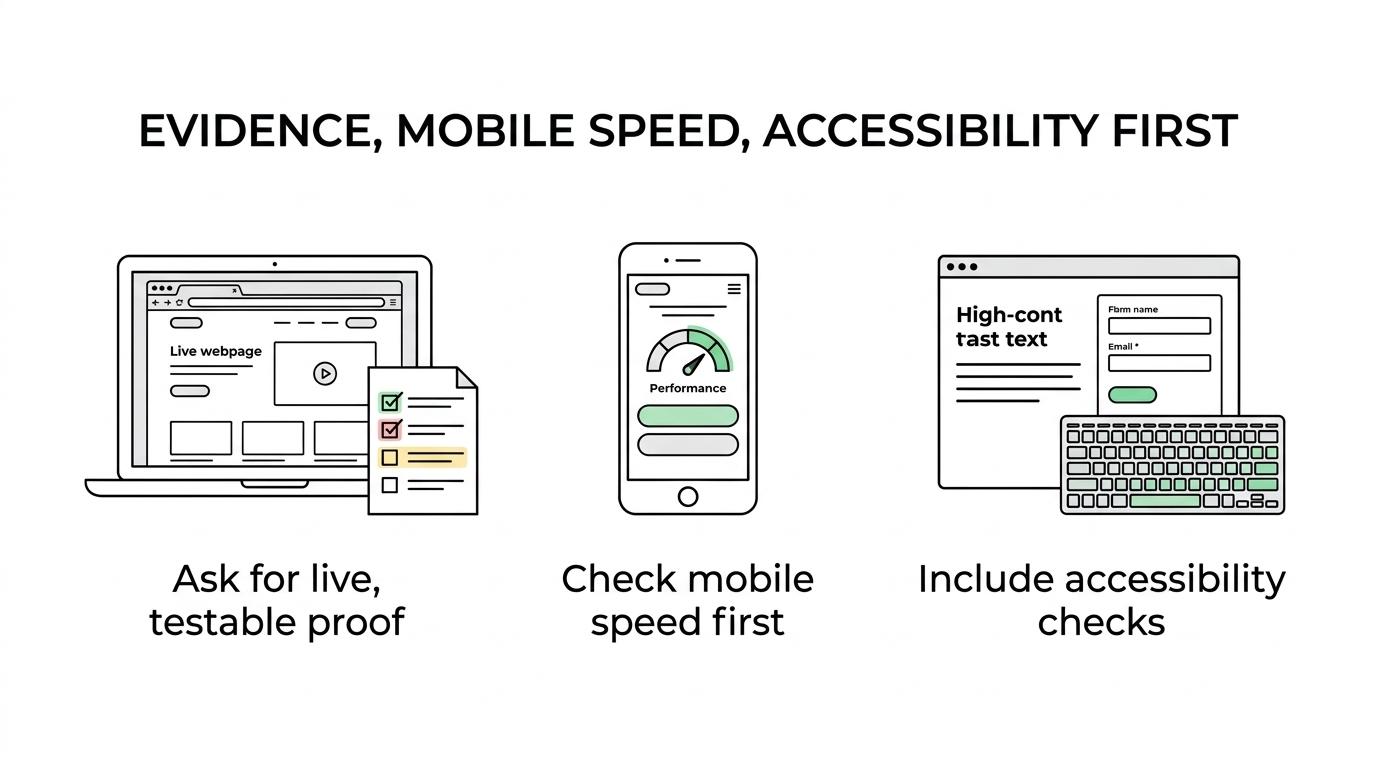
A common mistake is to compare agencies by price before checking whether their past work is still live, responsive, and searchable. Cheap builds often become expensive once fixes, rebuilds, or SEO recovery enter the picture.
Why does mobile performance matter more than most buyers think?
Mobile performance matters because India is a mobile-first web market. Statcounter reported 77.3% mobile platform share in India in September 2026, compared with 22.1% for desktop.
That single fact changes how you should judge a web development vendor. A beautiful desktop site is not enough if most of your customers first meet your business on a phone. Menus must be tap-friendly, forms must load quickly, images must not block content, and important calls to action should appear early.
Google’s Speed Update applies the same ranking standard regardless of the technology used to build the page. So whether a vendor uses WordPress, a custom stack, or a page builder, the question stays the same: does the site perform well for real mobile users?
Pro tip: do not accept “mobile-friendly” as a vague label. Ask to see live websites on a mid-range Android phone, not just in a desktop browser resized to a smaller width.
What are the most important proofs to ask from a Bhopal web development company?
Ask for proof that is public, testable, and current. The strongest vendors can show live websites, measurable performance data, and clear responsibility after launch.
Start with a short evidence checklist, then compare providers line by line.
- Live website examples: Ask for current URLs, not mockups or design screenshots.
- Mobile performance data: Request PageSpeed Insights results and a brief explanation of weak and strong pages.
- Search visibility basics: Check whether titles, meta descriptions, indexing, and crawlability were considered.
- Accessibility process: Ask how the team addresses WCAG 2.2 items like contrast, keyboard access, and form labels.
- Client evidence: Look for real business names, sectors, and public references where appropriate.
- Maintenance scope: Confirm who handles updates, backups, fixes, and security after go-live.
- Conversion thinking: Ask how enquiry forms, WhatsApp buttons, calls, or booking flows are planned.
The best proof is never a claim on a proposal PDF. It is a working website you can test yourself in a few minutes.
How can you verify a portfolio without relying only on testimonials?
Verify a portfolio by checking what is live, what is fast, and what is searchable. Screenshots and praise are weaker evidence than a URL, a test tool, and a public business presence.
First, open the portfolio site on mobile and desktop. See if it loads quickly, if the navigation is clear, and if the forms actually work. Then search the brand on Google. A polished site with poor indexing or broken metadata may look complete while failing basic launch standards.
Second, compare the website to the client’s business reality. If the project claims to support leads, bookings, or calls, there should be visible conversion paths. If the site is meant for a school, clinic, or local service, the architecture should reflect that audience rather than copying a generic template.
“Yuvau Digital states 8+ years of experience, 100+ businesses served, and 1 lakh+ qualified leads generated. Those are the kind of concrete claims buyers should ask every vendor to document.”
Third, separate social proof from technical proof. Testimonials can support a decision, but they should never replace testable evidence. That fits FTC guidance, which advises buyers to be sceptical of glowing stories and to do independent research.
What should you check in Core Web Vitals before you say yes?
Check real-user performance signals, not only design smoothness. PageSpeed Insights, Lighthouse, and the Chrome User Experience Report are useful because Google itself points developers to these tools.
Core Web Vitals give a practical way to compare development quality. Largest Contentful Paint looks at how quickly the main content becomes visible. Interaction to Next Paint looks at responsiveness after user input. Cumulative Layout Shift tracks unexpected movement on the page.
If a vendor shows only one page result, ask for more. Product pages, service pages, blog pages, and form pages often behave differently. A common misconception is that a fast homepage proves the whole site is fast. It does not.
If you want a clear review process, follow three steps. First, run the live site through PageSpeed Insights. Second, check mobile results before desktop results. Third, ask what the team will actually change if scores or field data are weak. A vendor that can explain image compression, script loading, caching, and layout stability usually has a stronger build process.
How do accessibility checks change your vendor shortlist?
Accessibility checks quickly separate careful teams from cosmetic builders. W3C’s WCAG 2.2 applies to web content across desktops and mobile devices, so it belongs in early vendor comparison.
Accessibility is not only about edge cases. It affects readability, form completion, navigation clarity, and trust. People with low vision, limited movement, hearing loss, cognitive limitations, or photosensitivity may all interact with your site differently. Good structure helps everyone, including users on bright outdoor screens or unstable connections.
Ask simple questions. Can the site be used with a keyboard? Are form fields labelled properly? Is contrast strong enough? Are buttons large enough to tap? If a vendor answers only with “we make responsive sites,” that is not the same as accessibility readiness.
Pro tip: a vendor does not need to promise perfect compliance for every project. They do need a repeatable process for testing common WCAG 2.2 issues before launch.
Should you choose a freelancer or a web development company in Bhopal?
Choose based on risk, continuity, and project complexity. A freelancer may suit a smaller brochure site, while a web development company in Bhopal usually offers broader coverage for design, development, SEO, and support.
The trade-off is straightforward. Freelancers can be cost-effective and fast when the scope is simple. Companies usually bring clearer processes, multiple specialists, and better continuity if one person becomes unavailable. If your site needs integrations, lead tracking, ads, or local search, team capacity matters.
If your business depends on campaigns, ads, or local search, a company model often has an advantage because web development is tied to marketing outcomes. If you only need a compact presence with limited updates, a strong freelancer can still be a sensible choice.
Is a template website good enough, or do you need custom development?
A template website is often good enough for speed and budget. Custom development is better when your workflows, integrations, or performance goals exceed what a template can handle cleanly.
Templates help launch quickly. They are useful for startups, local services, and early-stage businesses that need a credible online presence without a long build cycle. The risk appears when teams over-customise a template until it becomes slow, fragile, or hard to maintain.
Custom development makes sense if you need unusual booking flows, member areas, calculators, multilingual structures, API connections, or very specific UX patterns. It can also help when template code creates avoidable performance problems.
The decision should follow business needs. If your requirements are standard, a well-built template site can work well. If your growth depends on features a template struggles to support, custom work is often the cleaner long-term route.
How should you screen reviews, ratings, and client claims?
Screen reviews with independent checks, not star counts alone. Yuvau Digital’s public ratings may be one example of visible social proof, but FTC guidance still supports checking beyond testimonials and platform summaries.
Start by searching the company name with words like review, scam, or complaint. That mirrors the FTC’s advice for evaluating business offers. Then compare review patterns across platforms. Consistent detail is stronger than repeated one-line praise.
Next, read for substance. Useful reviews mention timelines, communication, revisions, outcomes, or specific website issues solved. Weak reviews stay vague. Also check whether the reviewer profiles look real and whether the feedback appears balanced rather than unnaturally perfect.
“Yuvau Digital publicly lists 4.9-star ratings on Google Business Profile and Justdial. Even then, buyers should still verify reviews independently rather than trusting ratings in isolation.”
A common misconception is that more reviews always mean lower risk. Volume helps, but quality and consistency matter more. One verified case study can outweigh ten generic compliments.
What deliverables should a serious website proposal include?
A serious proposal should define scope, technical responsibilities, and post-launch ownership. If those items are missing, price comparison becomes unreliable.
Before comparing quotes, check whether the proposal covers the same work across vendors. Two proposals may look similar on cost while including very different deliverables.
- Scope definition: page count, CMS, forms, integrations, and revision rounds
- Performance plan: mobile optimisation, image handling, and test tools like PageSpeed Insights
- Accessibility basics: WCAG 2.2 checks for contrast, labels, keyboard use, and responsive behaviour
- Search essentials: indexation setup, metadata structure, redirects, and sitemap handling
- Support terms: training, maintenance, bug-fix period, backups, and ownership of code or assets
Pro tip: if a proposal does not state who updates plugins, content, or tracking scripts after launch, ask before you sign. That small omission creates a surprising number of post-launch disputes.
Which red flags usually signal trouble before a project starts?
The clearest red flags are vague proof, vague scope, and vague accountability. If a vendor cannot show live work, cannot explain performance testing, or cannot define support, risk rises fast.
Watch for proposals built around only visual promises. Also be cautious if the team avoids discussion of mobile speed, accessibility, or review verification. Those topics are not extras anymore. They are part of responsible website delivery.
Another warning sign is a portfolio full of industries unrelated to your business goals with no explanation of how leads, bookings, or user journeys were handled. Relevant experience does not mean only same-industry work, but it should still show decision-making you can understand.
If the vendor resists independent checks, that is your answer. Strong web partners are usually comfortable with side-by-side comparison because the evidence is on the screen, in the tools, and in the live websites themselves.
← Back to Our Blog